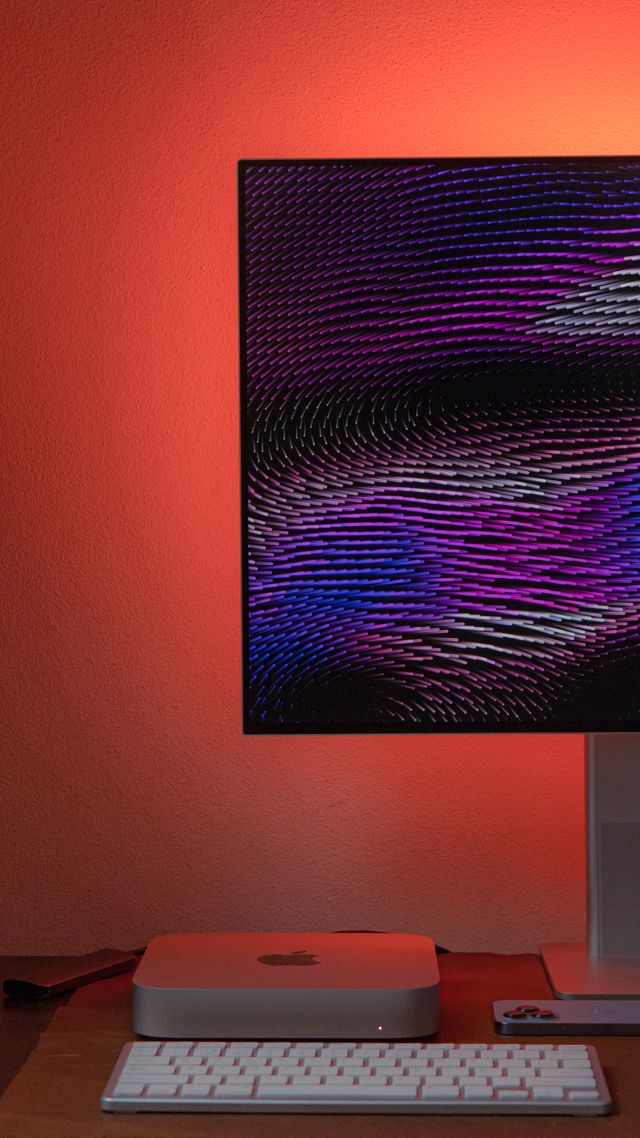
Recently worked on debugging an issue with a Mac Mini that wasn’t booting.
Status: Suspected permanent hardware failure — logic board, storage path
| Field | Value |
|---|---|
| Target Device ECID | 0xA444A3A230026 |
| Target Hardware Profile | iBridge2,5 (Apple T2 Security & Storage Architecture) |
| Host Machines Tested | MacBook 12″ (2017 Intel, macOS Ventura 13.7.8); MacBook Pro (M1 Apple Silicon) |
| Primary Error | libusbrestore error: 102 [com.apple.MobileDevice.MobileRestore – 0x66 (102)] |
1. Initial Symptoms & Error Profile
- The error: Restoration consistently failed with libusbrestore error 102.
- Behavior: The restore thread would drop mid-transfer, and the host Mac would report losing communication with the target Mac mini, re-enumerating it as an “Unknown device.”
The failure was fully reproducible across every attempt.
2. Software & Cabling Isolation
To rule out software bugs and transmission issues, the following variables were systematically eliminated:
- Cabling: Tested across Thunderbolt 4 cables, high-speed USB-C data cables, older lower-rated USB-C to C cables, and legacy USB-A to USB-C cables. The failure was identical on all of them, making a high-speed handshake or cable-quality issue unlikely.
- Host architectures: Restoration was attempted from both an Intel host (2017 MacBook) and an Apple Silicon host (M1 MacBook Pro), ruling out host-side framework or compatibility issues (e.g., “A software update is required” loops).
- Interface: Moved from GUI tools (Finder, Apple Configurator) to the command-line
cfgutilto eliminate application-level timeouts or scripting delays as a factor.
No combination of cable, host, or tool changed the failure behavior.
3. Key Diagnostic Data (cfgutil get all)
Two findings shifted the working theory from software to hardware:
- bootedState anomaly: The Mac mini initially trapped itself in standard Recovery mode rather than dropping cleanly into DFU. It was later successfully forced into a true DFU state via power-cycling sequences — but the restore failure persisted unchanged, so this turned out not to be the root cause.
- Storage parameter faults: Identity data read cleanly over the serial bus, while every storage-related query failed: Query Result ECID ✅ Reads correctly deviceType ✅ Reads correctly totalDiskCapacity ❌
Error: A parameter was invalid. (ConfigurationUtilityKit.error 2)freeDiskSpace ❌Error: A parameter was invalid. (ConfigurationUtilityKit.error 2)totalSpaceAvailable ❌Error: A parameter was invalid. (ConfigurationUtilityKit.error 2)
Takeaway: The T2 chip is alive and communicating normally at the low-level USB serial layer, but its internal storage subsystem is not responding to basic capacity/parameter queries. This clean split — identity works, storage doesn’t — points at the storage path specifically rather than the T2 or the board as a whole.
4. Verbose Restore Testing (cfgutil -v restore)
The text-based firmware deployment produced a consistent, repeatable failure point:
| Step | Phase | Result |
|---|---|---|
| 1 of 4 | Handshake / Initialization | ✅ 100% success |
| 2 of 4 | Downloading system assets | ✅ 100% success |
| 3 of 4 | Unzipping binary environment | ✅ 100% success |
| 4 of 4 | Installing system layout | ❌ Crashes at 66%, every attempt |
The failure at a fixed percentage of step 4 presumably corresponds to the point where the restore process begins writing to the internal flash storage. (Note: Apple does not publicly document what internal milestone each percentage maps to, so the exact operation at 66% is an inference, not a documented fact.)
Notably, the failure is a hard, instantaneous USB disconnect (“Unknown device”) rather than a storage-specific error code returned to the host. This pattern is more suggestive of an electrical event under write load — such as a power rail collapsing or a hardware safety shutdown — than of a graceful storage error, though this cannot be confirmed from software-side symptoms alone.
5. Diagnostic Conclusion
The evidence supports a hardware failure on the logic board, localized to the storage path:
- The failure is fully software-isolated: it persists across all cables, hosts, tools, and restore modes.
- The T2 communicates normally, but all storage queries fail with structural errors.
- The restore dies reproducibly at the exact point flash writes would begin, with an instant electrical-style disconnect.
Candidate root causes (bench diagnosis required to distinguish between them):
- Power delivery fault in the storage path — e.g., a shorted capacitor on a rail feeding the T2’s storage controller. Under write load, current demand through the short could trigger a hardware protection shutdown, instantly dropping the USB link and leaving the host waiting on a dead connection (error 102).
- Degraded or dead NAND flash — internal gate failure or end-of-life on the soldered flash packages, causing the T2 to panic the hardware state when it attempts to open memory blocks.
- A failed component elsewhere in the storage signal/power path between the T2 and the NAND.
Confirming which of these applies requires physical inspection: power rail measurements with a multimeter, thermal imaging under load, and potentially NAND rework. None of this can be determined definitively from software-side diagnostics.
6. Practical Implications
- No software fix exists. No combination of updates, cables, hosts, or restore procedures will recover this machine. Further software attempts are not worth pursuing.
- External boot is not a workaround. On T2 Macs, a failed internal SSD generally prevents booting from external media as well, so the machine cannot be salvaged as an “external-drive-only” computer.
- Repair path: Board-level micro-soldering by a technician equipped to diagnose power rails under thermal imaging and rework surface-mount components or NAND packages.
- Repair economics: Board-level repair typically costs several hundred dollars — likely more than the current market value of a working used 2018 Mac mini. Repair only makes sense as a project or learning exercise, not as an economical recovery.
- Origin story: This failure profile plausibly explains why the previous seller abandoned the unit as “no longer working.”
Diagnostics performed by Tiempo Software. Report reflects software-side findings only; component-level root cause remains unconfirmed pending bench inspection.